Campaigns in five steps
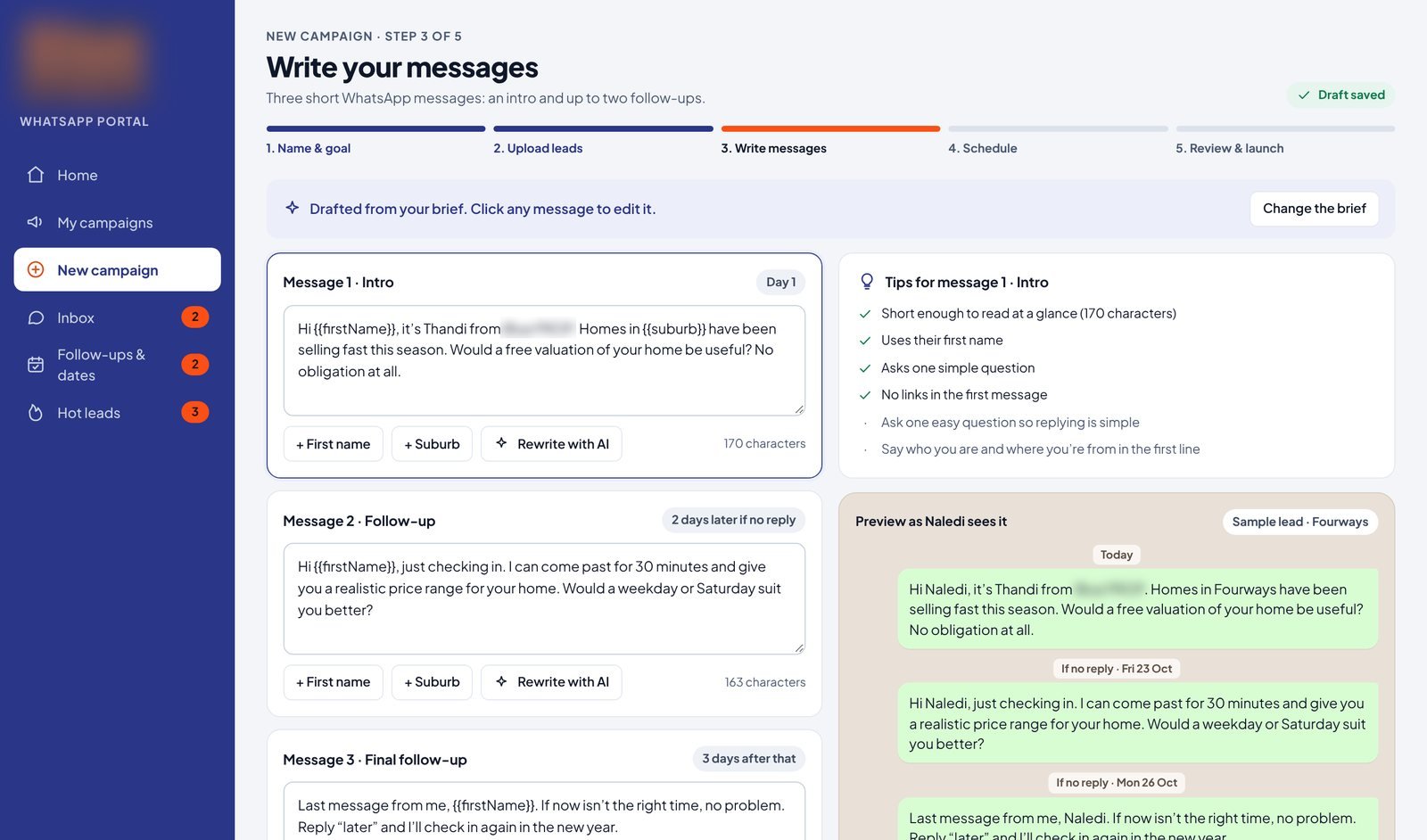
A guided flow replaces the old interface. Pick a goal, upload the list, and AI drafts the three-message sequence with tips beside each message. Every campaign sends from the right agent's number.
Goal → Upload leads → Write messages → Schedule → Launch
Fixes: wrong-number sends, clunky set-up
Every reply scored by AI
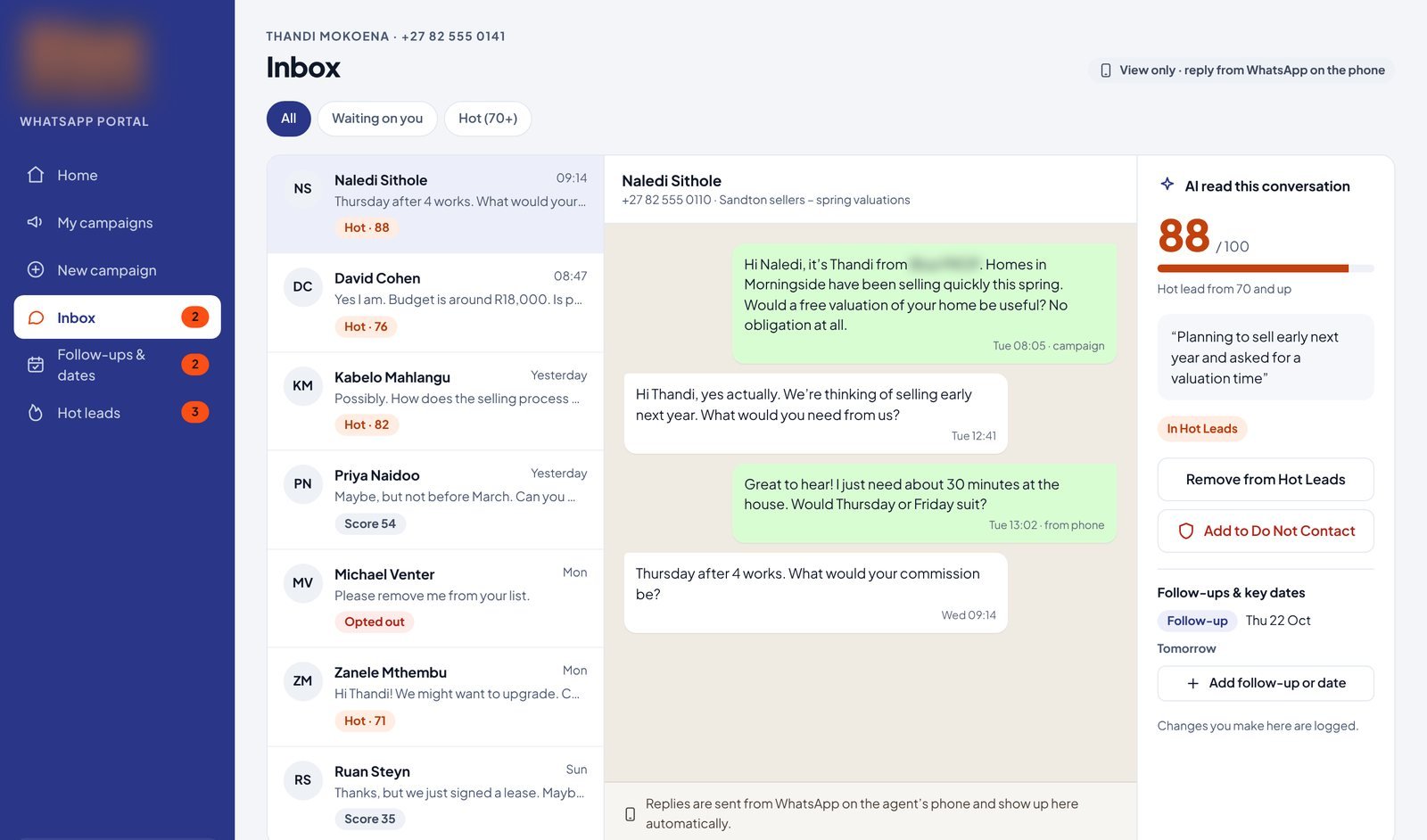
All replies land in one inbox. AI scores each one from 0 to 100 with a one-line reason, flags what's waiting on the agent, and catches opt-outs automatically. Agents still reply from their own phone.
Fixes: reading every reply by hand
Hot leads, ready for the CRM
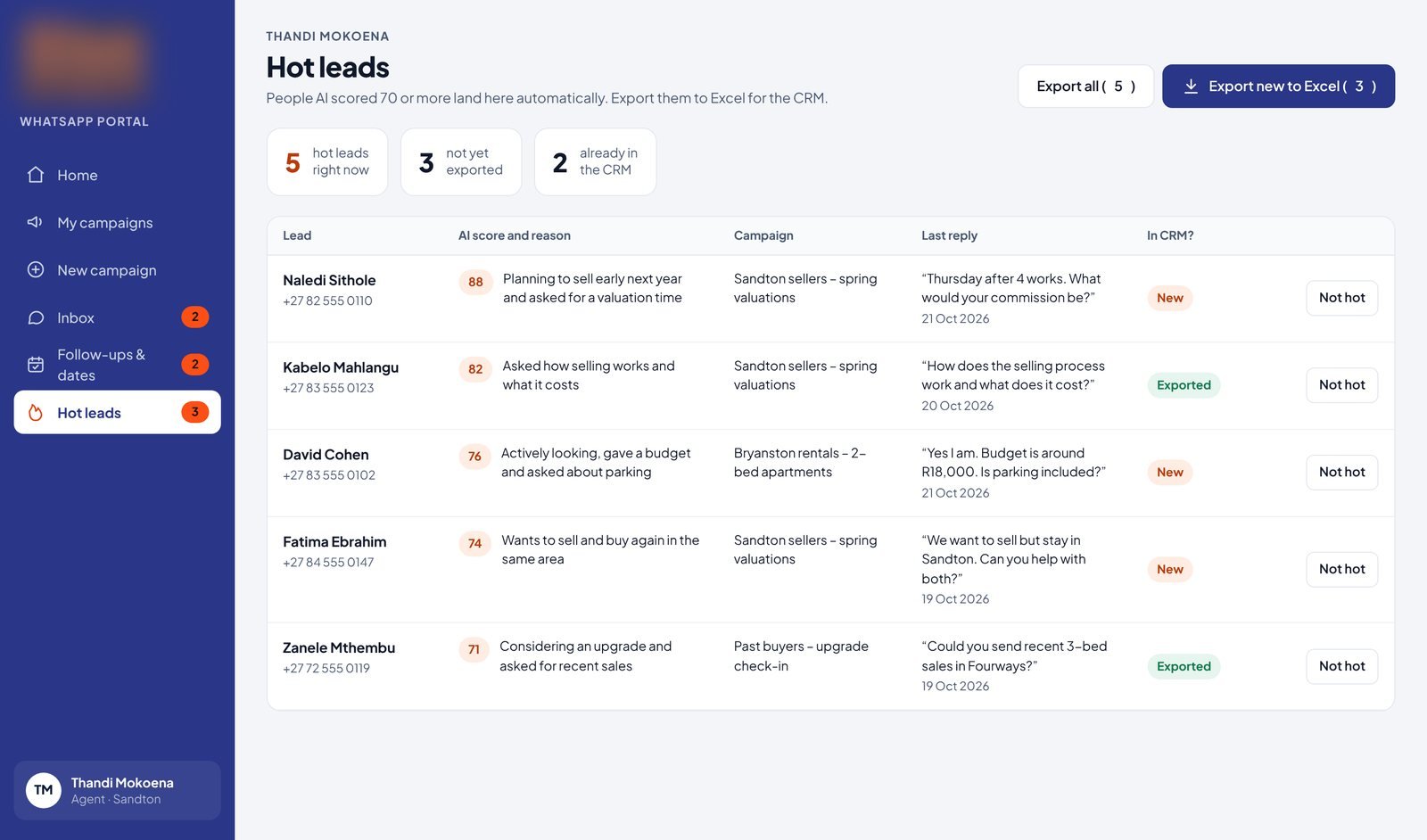
Anything scoring 70 or more moves to Hot Leads on its own. One click exports the new ones to Excel, so the agency's existing CRM gets clean data without retyping.
Fixes: retyping leads
No more double contact
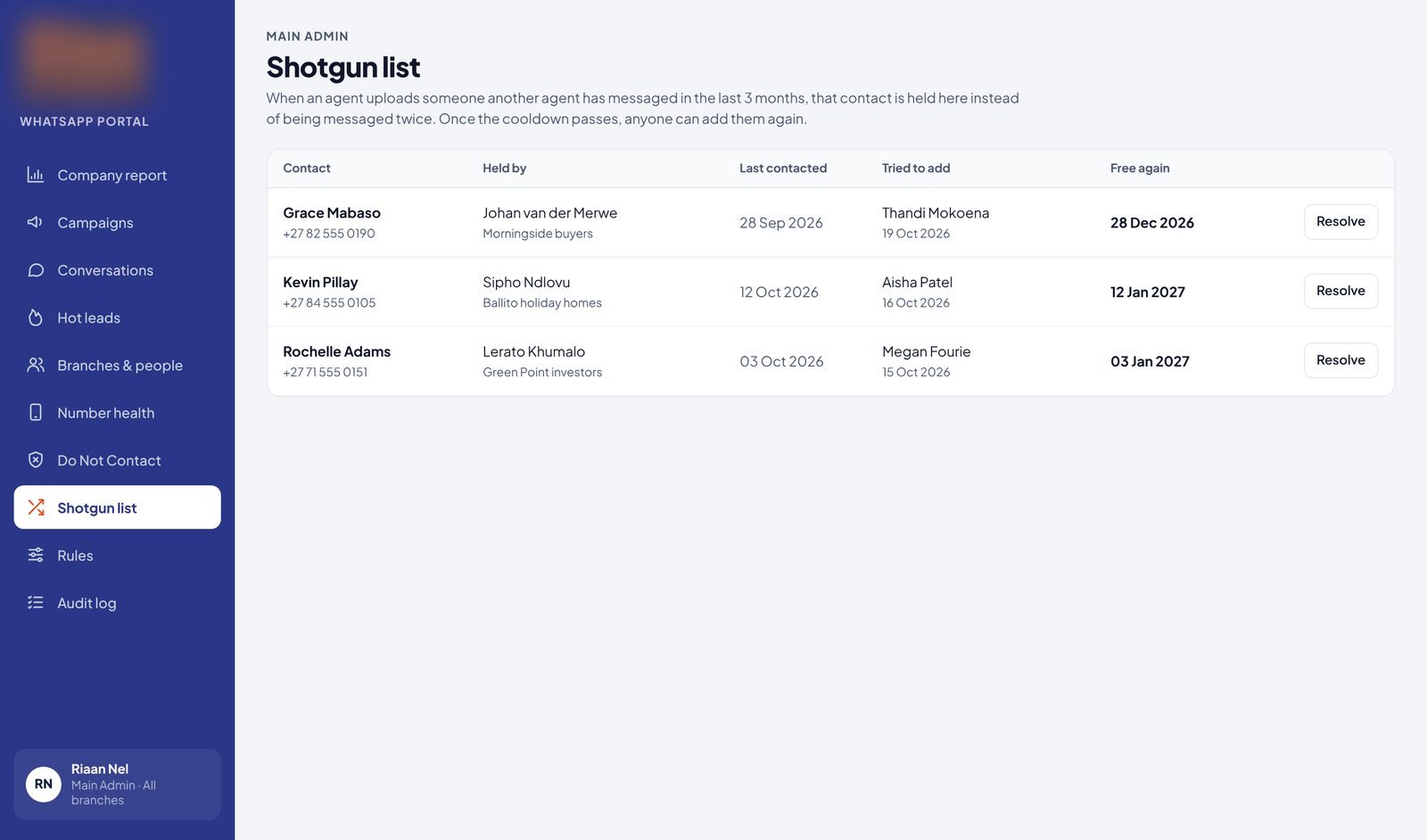
Uploads are checked against one company-wide Do Not Contact list. If another agent messaged the same person recently, they're held on the Shotgun list until the cool-off passes, and an admin resolves any clash.
Fixes: spreadsheet opt-outs, agents competing for the same lead
A view for every role
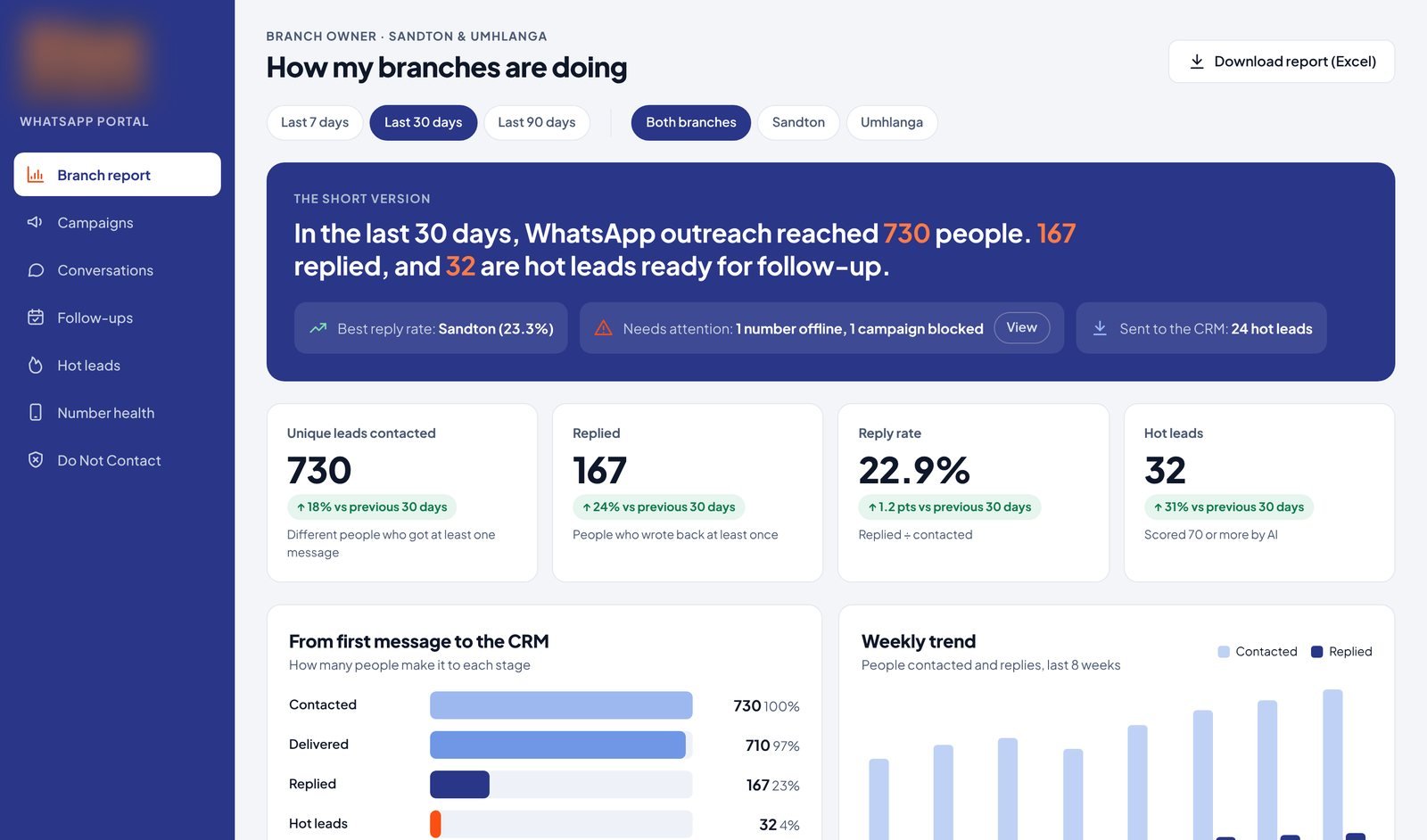
Agents see their own work. Branch owners compare branches and agents side by side in plain English. Admins see the whole company, plus an audit log of who launched, exported or overrode what.
Fixes: one shared login, no visibility